
The terms reseller panel and IPTV player are sometimes used together, but they describe two very different types of software. One is generally designed for managing a service, while the other is designed for watching or accessing content through an IPTV-compatible interface.The MegaOTT.io reseller panel fits into the management side of this distinction. 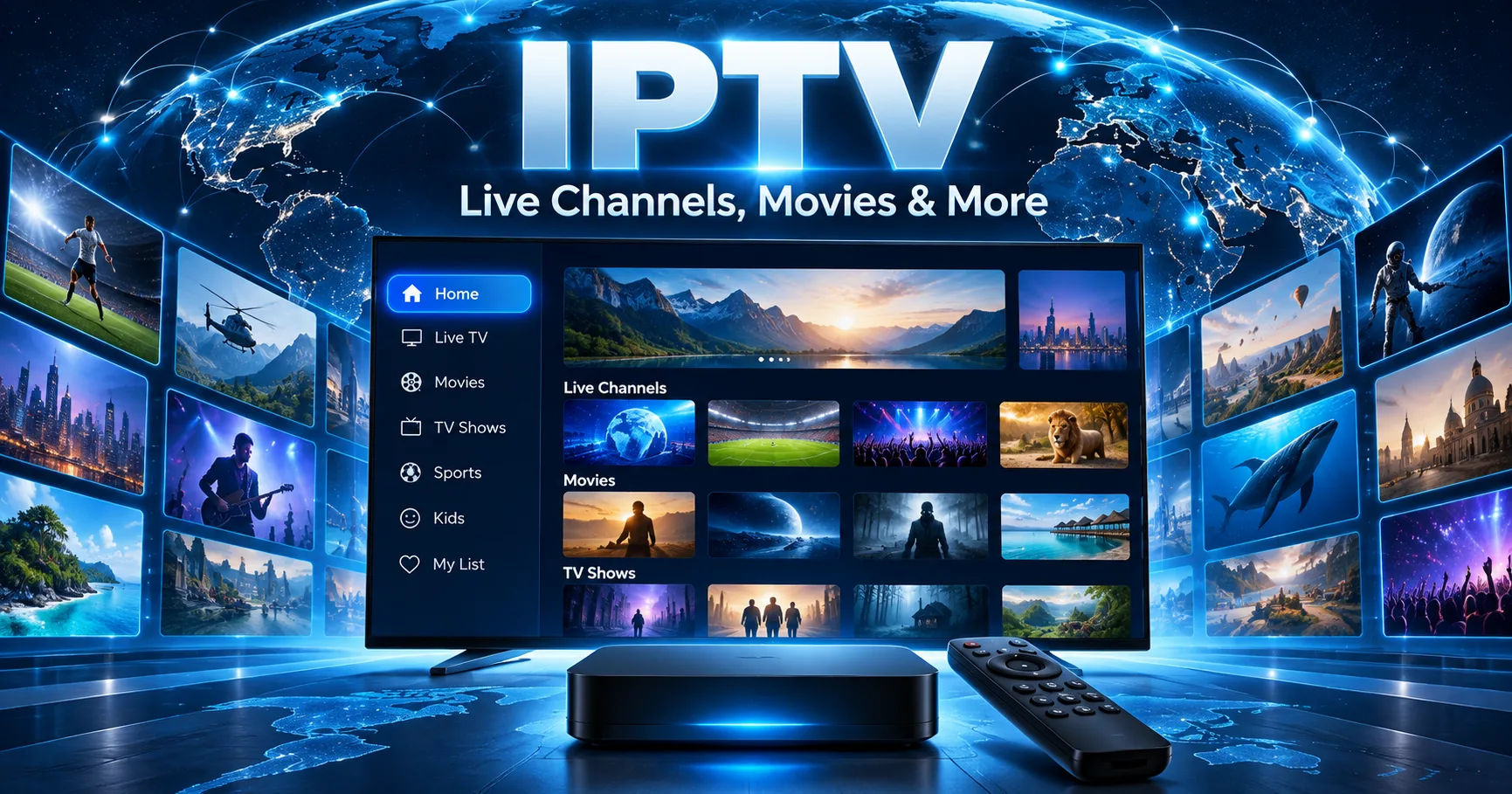 An IPTV player, by comparison, is primarily a viewing application. Understanding this difference is important because someone who is new to IPTV services may assume that a panel and a player perform the same job simply because they are connected to the same type of streaming system.
In practice, they normally serve different users and solve different problems. A reseller panel can provide tools for managing accounts, subscriptions, service details, or customers, depending on the provider's implementation. An IPTV player is intended for the end user who wants to load compatible content and watch it on a supported device.
The MegaOTT.io reseller panel therefore should not be thought of as simply another IPTV player. It represents a management environment, whereas a player represents a consumption interface.
What Is an IPTV Reseller Panel?
An IPTV reseller panel is a web-based or software-based management environment used by a service operator or reseller. Its purpose is generally administrative rather than entertainment-focused.
Instead of displaying television channels or movies for someone to watch, a panel may provide tools for handling customer accounts and service subscriptions. The exact features vary considerably between providers.
A typical reseller management system may include functions such as creating customer accounts, managing subscription periods, checking account status, and organizing available service packages.
The important point is that the panel works behind the scenes. It is part of the administration layer of a streaming service.
For example, imagine a business that provides legitimate streaming access to content for which it has the necessary rights. The administrator may need a centralized location to manage customer accounts. A management panel can provide that environment.
The customer, however, does not necessarily need to enter that panel to watch content.
What Is an IPTV Player?
An IPTV player is designed for viewing compatible streaming content. It is usually installed on a device such as a smart television, smartphone, tablet, computer, streaming device, or set-top box.
The player provides the interface through which the user interacts with available content.
Depending on the application, a player may support features such as channel lists, electronic program guides, favorites, playlists, playback controls, subtitles, or video-on-demand libraries.
The player itself may not provide the content. This distinction is particularly important.
An IPTV player can function as a software interface that reads compatible streaming information supplied by a separate service. In other words, the application and the content provider can be separate components.
This is similar to the distinction between a web browser and a website. A browser provides the interface and technology needed to access online content, but the browser itself is not the website.
How the Reseller Panel and Player Differ
The clearest way to understand the difference is to look at their intended roles.
A reseller panel is primarily associated with management.
An IPTV player is primarily associated with viewing.
The panel may be used by an administrator, reseller, or service operator. The player is generally used by the customer or viewer.
The MegaOTT.io reseller panel belongs to the management side of this model. An IPTV player belongs to the user-facing side.
This means that replacing one with the other usually does not make sense. A reseller cannot normally use a player as a complete substitute for administrative software, just as a customer does not normally need a reseller management panel simply to watch compatible content.
Main Purpose of a Reseller Panel
The main purpose of a reseller panel is organization.
When a service has multiple customers, manually tracking every account can quickly become difficult. Administrative software can centralize information that would otherwise be scattered across spreadsheets, emails, or separate systems.
Depending on the provider, the MegaOTT.io reseller panel may be intended to make administrative tasks more structured and manageable.
A management environment can potentially allow an authorized operator to see relevant account information from one location. It may also reduce repetitive administrative work by providing dedicated controls for customer or subscription management.
The exact capabilities should always be checked against the provider's current documentation because different panels can have substantially different features.
Main Purpose of an IPTV Player
An IPTV player has a much more direct relationship with playback.
Its job is to provide the interface needed to view supported streams or other compatible content sources.
A good player may organize channels clearly, make navigation easier, and provide playback controls. Some applications also support features such as recording, catch-up television, multiple audio tracks, subtitles, or program guides.
These capabilities depend entirely on the specific player.
An IPTV player does not automatically mean that a user has permission to access every stream that the software can technically display. The legality of the content depends on the source, licensing arrangements, and applicable laws.
Who Uses Each System?
Another major difference is the intended user.
A reseller panel is generally intended for someone managing a service. That could include an authorized reseller, administrator, or operator.
An IPTV player is normally intended for the person consuming the service.
Consider a simple example.
A legitimate streaming provider has several customers. The provider needs a system for managing customer subscriptions and service information. That administrative function could be handled through a reseller panel.
The customer then uses a compatible IPTV player on a television or mobile device to access the content they are authorized to watch.
The two systems can therefore exist within the same overall service ecosystem without being the same application.
Account Management Versus Content Playback
Account management and content playback are separate technical responsibilities.
A management panel can be concerned with questions such as:
Who has an active subscription?
When does an account expire?
Which service package is associated with an account?
What administrative actions are available to an authorized operator?
A player is concerned with different questions:
What content is available?
Which channel should be played?
Can the user pause or resume playback?
Does the device support the required format?
The MegaOTT.io reseller panel is associated with the first category, while an IPTV player is associated primarily with the second.
This separation is useful because it prevents administrative functions from being mixed with the viewing experience.
Does a Reseller Panel Play IPTV Channels?
Generally, a reseller management panel should not be confused with a dedicated playback application.
Even when a panel provides information related to channels or services, that does not necessarily mean it is intended to function as a television viewing interface.
Its purpose is usually administrative.
An IPTV player, on the other hand, is specifically built around playback and navigation.
This is one of the easiest ways to remember the difference: the panel manages, while the player plays.
The precise capabilities of the MegaOTT.io reseller panel depend on its current implementation, so users should consult the relevant official documentation rather than assuming that every reseller panel has identical functionality.
Does an IPTV Player Manage Reseller Accounts?
Usually, no.
A standard IPTV player is not designed to replace a full reseller management system. It may allow users to enter or configure their own compatible service information, but that is different from managing customers as an administrator.
For example, a player might allow a viewer to add a playlist or account connection. That does not mean the application provides tools for creating and administering accounts for an entire customer base.
This distinction becomes particularly important for businesses or service operators.
A viewing application is optimized for the viewer's experience. Administrative software is optimized for operational control.
How the Two Can Work Together
Although the two systems are different, they can be connected within a broader service arrangement.
A legitimate service provider may use a management panel to administer authorized customer accounts while customers use compatible player software to access the service.
The relationship can be represented simply:
Management system → Customer account/service configuration → Compatible player → Authorized content
The panel handles administrative information.
The player handles the viewing experience.
Neither component necessarily replaces the other.
The MegaOTT.io reseller panel can therefore be understood as one component of a broader service architecture rather than as a direct competitor to every IPTV player.
Differences in User Interface
The interfaces are also likely to look very different.
A reseller panel may contain tables, account records, subscription information, administrative controls, search tools, and status indicators.
An IPTV player usually emphasizes visual navigation.
Its interface may include channel grids, categories, program information, video thumbnails, playback controls, and favorites.
This difference reflects the needs of the users.
An administrator needs information density and control. A viewer needs fast navigation and an uncomplicated way to watch content.
Trying to design both interfaces as one system could make the experience unnecessarily complicated.
Differences in Devices
Another distinction is where each system is normally used.
A reseller panel is often accessed through a computer or web browser because administrative work is easier with a larger screen and keyboard.
An IPTV player may be designed specifically for televisions and streaming devices. Other players are built for Android, iOS, Windows, macOS, or web browsers.
The device requirements depend on the particular software.
The MegaOTT.io reseller panel should therefore be evaluated according to its supported administrative environment, while an IPTV player should be evaluated according to the devices and operating systems on which it can provide playback.
Why the Distinction Matters for Resellers
For someone operating an authorized streaming business, understanding the difference can prevent incorrect expectations.
A reseller may need both administrative tools and a way for customers to consume the service.
The panel helps with operational organization. The player's job is to provide the customer-facing viewing experience.
If these functions are confused, a person may choose software based on the wrong requirements.
For example, someone looking for customer management features should not select an application simply because it has an attractive channel interface.
Likewise, someone looking for a simple television viewing application does not necessarily need access to an administrative reseller environment.
Security Considerations
Security is another important consideration.
Administrative systems can contain sensitive account information, so access should be restricted to authorized users. Strong passwords, appropriate permissions, secure connections, and account protection are important for any management platform.
The same general principle applies to IPTV applications. Users should be careful about entering credentials into unknown software.
It is also important to distinguish software functionality from content authorization.
An application may technically support a particular stream format, but that does not establish that the underlying content is licensed for the viewer. Users and providers should ensure that the content they distribute or access is legally authorized in their jurisdiction.
Licensing and Legal Considerations
The technology behind IPTV is not inherently the same thing as the legal status of the content delivered through it.
IPTV simply refers to television or video content delivered using Internet Protocol networks. Legitimate broadcasters, telecommunications companies, streaming services, and other licensed providers can all use Internet-based delivery.
The legal issue generally concerns the rights associated with the content.
A reseller using the MegaOTT.io reseller panel should therefore verify that the services and content being offered are properly authorized. Customers should likewise use services that have the appropriate rights to distribute the content they provide.
This distinction is important because software itself does not automatically grant permission to distribute copyrighted material.
What Should You Choose?
The answer depends entirely on what you are trying to accomplish.
If you are responsible for managing customers or subscriptions for an authorized service, a reseller management environment may be relevant.
If you simply want an interface for watching compatible content, an IPTV player is the more relevant type of software.
These are not really competing choices. They address different stages of the service experience.
The MegaOTT.io reseller panel should consequently be assessed according to its administrative capabilities, account-management features, security controls, and supported workflows.
An IPTV player should instead be assessed according to playback support, device compatibility, interface quality, stability, and features that matter to viewers.
Common Misunderstandings
One common misunderstanding is that every IPTV application is a content provider.
That is not necessarily true. Some applications are simply players that require a separate, authorized content source.
Another misunderstanding is that a reseller panel is just an advanced version of a player.
That is also inaccurate. A management panel and playback application can perform fundamentally different functions.
People also sometimes assume that every reseller panel has the same tools. In reality, features, permissions, account structures, integrations, and interfaces can vary significantly between providers.
This is why current product documentation matters more than assumptions based on another IPTV platform.
Questions to Ask Before Using Either System
Before choosing a management panel, consider what administrative tasks you actually need to perform.
Does the system support the account structure you require?
Does it provide appropriate access controls?
Can authorized administrators find customer information efficiently?
Does it integrate with the rest of your legitimate service infrastructure?
For an IPTV player, ask different questions.
Which devices are supported?
Which media and playlist formats are compatible?
Does the application provide the playback features you need?
How does it handle subtitles, guides, favorites, or other relevant features?
These questions make the comparison much more practical.
Conclusion
A reseller panel and an IPTV player are fundamentally different tools, even though they can exist within the same streaming ecosystem.
The reseller panel is primarily concerned with management and administration. It may help authorized operators organize customer accounts, subscriptions, services, and related information.
An IPTV player, meanwhile, is primarily concerned with the viewer's experience. It provides an interface for accessing and playing compatible content from an appropriate source.
The MegaOTT.io reseller panel should therefore not be viewed as simply another IPTV player. Its role is centered on management rather than ordinary content playback. An IPTV player serves a different purpose by giving viewers a practical interface for watching authorized content.
Understanding this distinction makes it easier to evaluate software according to the job it is actually designed to perform. If the requirement is administration, the relevant questions concern account management, permissions, organization, and operational features. If the requirement is viewing, the focus should instead be on device compatibility, playback, navigation, and user experience.
Ultimately, the two technologies can complement each other rather than replace one another. A management environment can support the administrative side of a legitimate streaming operation, while a compatible player can provide the customer-facing viewing experience. The specific capabilities of any particular platform should always be verified through its current documentation, especially because features and supported devices can change over time.
The most important distinction is simple: a reseller panel manages the service, while an IPTV player is designed to play the content. Keeping those roles separate provides a much clearer understanding of how each tool fits into an IPTV environment.